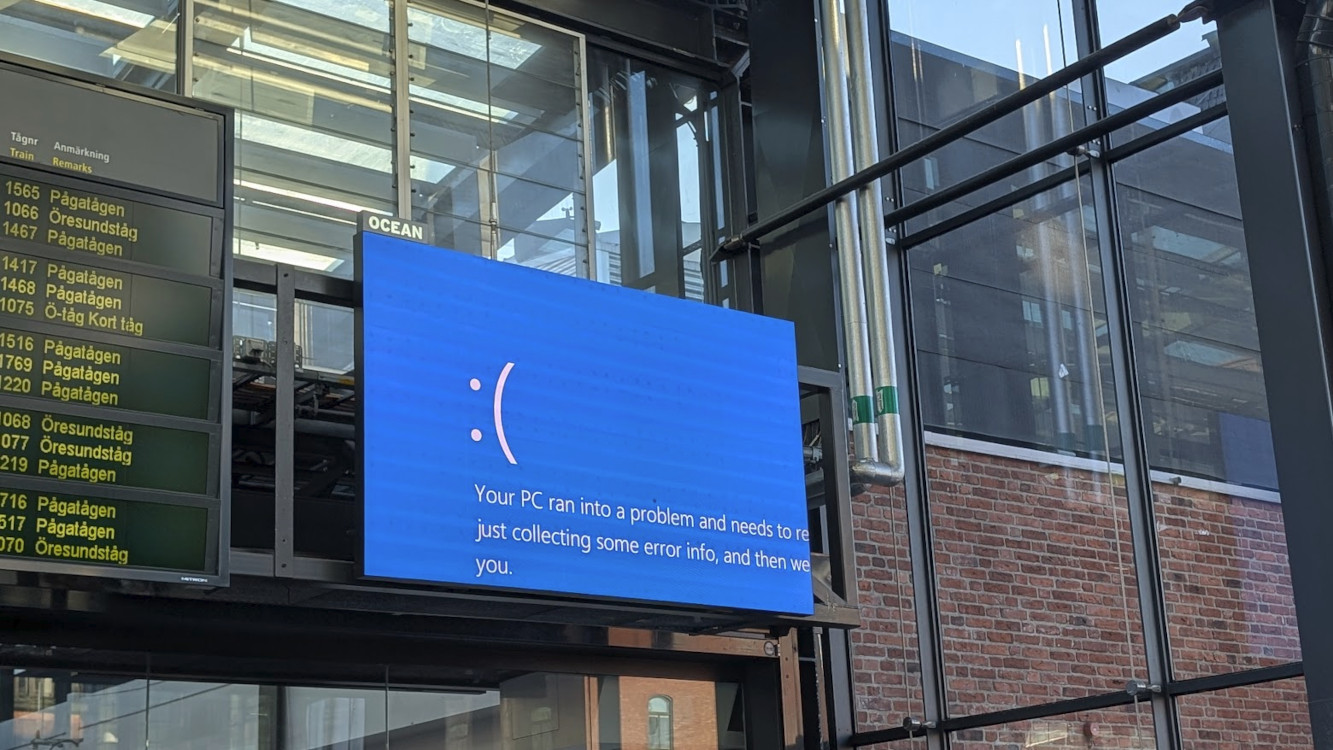
Few things are more embarrassing in the digital signage industry than a glaring Blue Screen of Death (BSOD) on a public display. From train station information boards to retail video walls, these error screens have become infamous symbols of system failure. Now, Microsoft is introducing a fix that’s less about solving the underlying problem and more about saving face: turning the screen off.
Windows: New “Digital Signage Mode” Ends Bluescreens
For network operators, a BSOD signals a serious Microsoft Windows system issue. For everyone else, it’s a photo opportunity. Social media is full of compilations of crashed displays at airports, shopping malls, and trade shows—often highlighting outdated or poorly maintained systems.
The solution: 15 seconds to disappear
At last weeks annual Microsoft Ignite partner conference, the Redmond-based software giant announced the new Digital Signage Mode. Microsoft aims to make these embarrassing moments vanish – literally. When a system error occurs, Windows will display the error message for 15 seconds, then switch the screen to black. To reactivate the display, an administrator must physically intervene with a keyboard or mouse. This short window gives support teams enough time to note the error without leaving it visible to the public.
The feature doesn’t stop at BSODs. Other disruptive Windows system dialogs – such as update prompts or error pop-ups – will also auto-hide after a few seconds. The goal: keep technical details away from customers and passersby, preserving the integrity of the digital signage experience.
Microsoft stresses that this mode is exclusive to digital signage systems, not kiosks. Kiosk environments often require direct user interaction and have different security needs, so the auto-hide feature won’t apply there. More details are available at The Register.
Microsoft Ignite Announcement
Digital Signage mode. This new Windows mode is perfect for machines which drive non-interactive public displays, whether that be a restaurant menu or an airport flight display. Once enabled, it helps ensure no Windows screens or error dialogs will show on your public displays. For Windows screens and errors messages needed for diagnostics and recovery, Windows will only show the screen or error for 15 seconds and then turn off the screen while waiting for keyboard or mouse input to reactivate. It is simple to enable through the Windows Settings app or a registry key. This mode does not replace Kiosk mode. Kiosk mode remains the right solution for interactive kiosks.